
HAMILTON-T1
AutoPEEP and expiratory flow
On the T1, pair the flow-time waveform with the ventilator’s calculated AutoPEEP value rather than assuming a generic expiratory-hold workflow.
Check the unit: Button paths below were verified against the U.S. software 3.0.x manual. On the ventilator, open System → Info to confirm its software version and installed options.
1Display the flow-time waveformTouch a panel → Waveforms → Flow
- Touch the graphic panel you want to change.
- Open Waveforms.
- Select Flow.
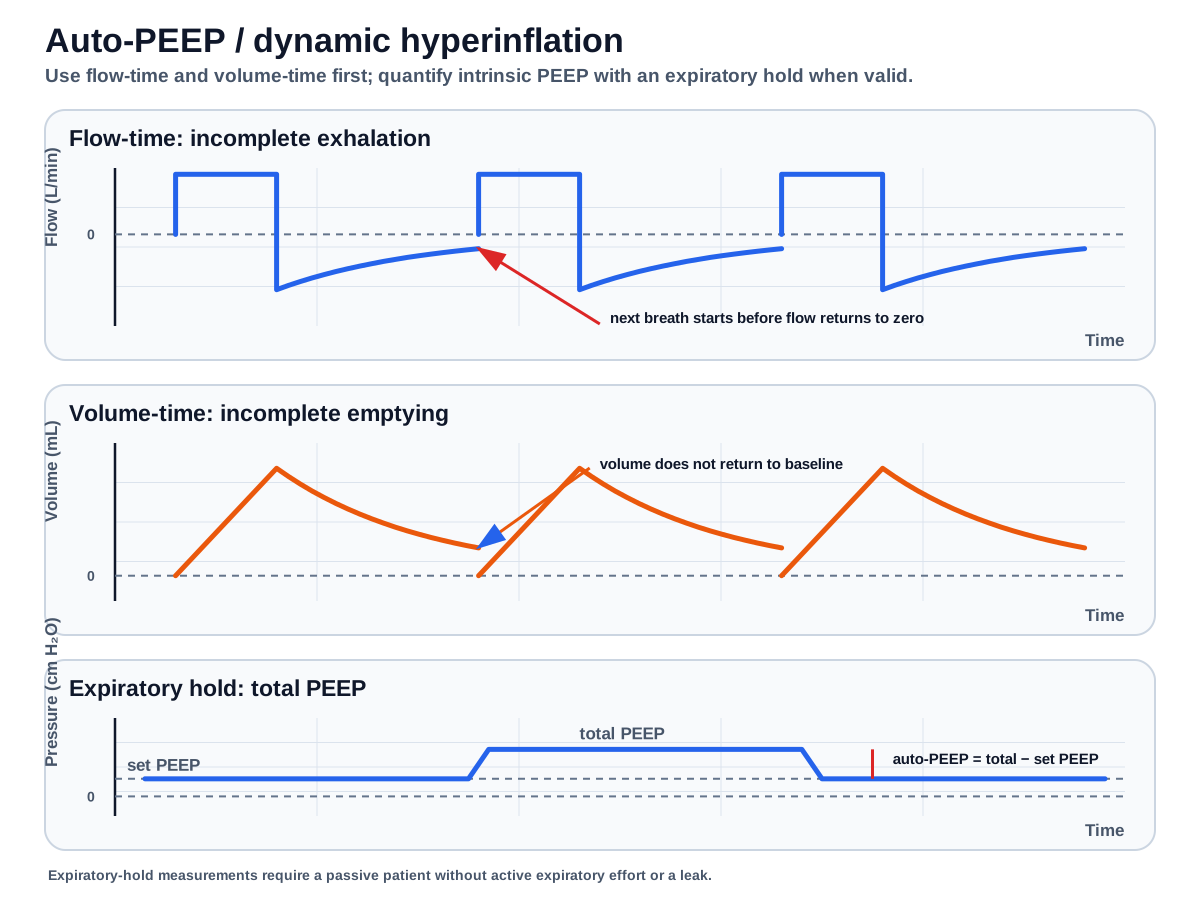
- Look at the end of exhalation: does expiratory flow return to zero before the next inspiration begins?
2Find the calculated AutoPEEP valueMonitoring → General
- Touch Monitoring.
- Open General.
- Find AutoPEEP in the monitored-parameter tabs.
The T1 calculates AutoPEEP from a least-squares-fit model applied across the entire breath. It is not simply a number read from a generic expiratory-hold maneuver.
3Decide whether the measurement is credibleCheck effort, mode, leak, and waveform
- Active breathing can introduce artifact or noise.
- In noninvasive modes, the manual states that AutoPEEP, Cstat, and Rinsp are not reliable for analysis.
- A short expiratory phase, high respiratory rate, larger delivered tidal volume, expiratory obstruction, or low peak expiratory flow can contribute to air trapping.
- Use the displayed value as one part of the assessment, not as a stand-alone diagnosis.
4Open the general management branchesThe device page explains measurement; the teaching pages explain physiology
Sources and version notesOfficial manual, Pplateau note, and current product resources
Button paths and monitored-parameter descriptions were checked against the HAMILTON-T1 U.S. operator’s manual for software 3.0.x. Hamilton currently advertises newer 3.1.x software, so labels, enabled options, and available functions may differ on the unit in front of you.
Content check: 2026-09-10. Confirm the installed software under System → Info and follow local respiratory-therapy and institutional policy.